Do you have questions about using SOFiSTiK software products? Our support team of experienced experts is happy to assist you, helping you continue your project efficiently and complete it successfully. Professional support is available quickly and easily via a support request directly from the software or by email.
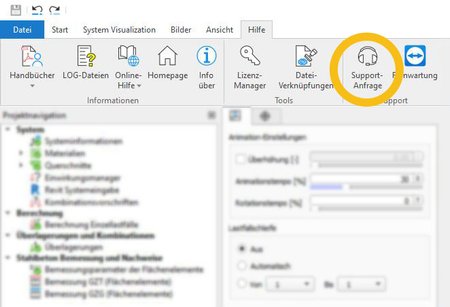
Submit your support requests quickly and easily directly from within the SOFiSTiK applications.
How it works:
Open the SOFiSTiK Support Assistant via the “Help” menu in the program or alternatively through the SOFiSTiK Application Manager (SAM).
The SOFiSTiK Support Assistant will guide you through the process step by step in just four steps. All relevant information is automatically collected and an email is prepared, ready to be sent directly to our support team.
Finally, send your support request – done!
Just send us an email with your
question to support@sofistik.de
Phone
In urgent cases, we are
also available by phone.
+49 800 76347845
SOFiSTiK Forum
Connect and exchange ideas with
peers in our SOFiSTiK Forum.
The remote maintenance software TeamViewer allows our support staff to access your computer
and help solve the problem. But without your explicit consent, no access can be made.
Rely on our expertise to ensure the success of your project. With our project support service, we offer a dedicated point of contact as an additional, fee‑based service to guide you through every stage of your workflow – from modeling and analysis to load combinations, design, and final documentation. Whether your project involves bridge engineering, building design, geotechnical engineering, or dynamic and nonlinear analysis, we support you efficiently and with maximum flexibility. Our services also cover open BIM workflows as well as visual programming solutions. Simply describe your requirements by email. We will get back to you promptly and work with you to find the right solution.
Expert knowledge
Leverage our expertise to implement your requirements more efficiently using SOFiSTiK products.
Personal contact
Through continuous and direct communication, we stay fully up to date on your project and can immediately engage with any current questions or challenges.
Flexible support options
Whether it’s a quick call or an in depth online workshop, we provide exactly the level of support you need.
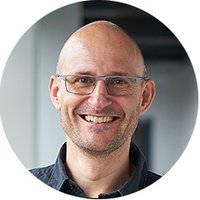
Jost Erdmann
Jost looks back on many years of professional experience as an expert for statistical calculations and is an integral member of SOFiSTiK’s expert team. Over the years, he has trained numerous users in SOFiSTiK software and guided them towards successful implementation of their building design and bridge design projects.
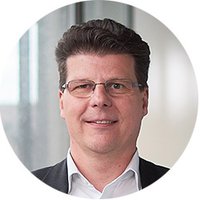
Dr.-Ing. Martin Siffling
As head of the support team with a deep passion for bridges, Martin can call on a wealth of professional experience.
On LinkedIn, he regularly shares information on the newest developments and tipps on how to efficiently work with the SOFiSTiK Bridge + Infrastructure Modeler.
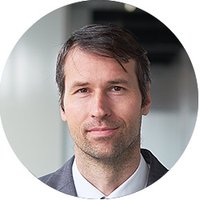
György Schmidt
György is an experienced design engineer specialized in bridge design. His profound know-how in the field of structural design paired with his ability to find cost-effective solutions for design, process or regulatory issues round off his profile.
On his YouTube channel Linked Into KiTSiFOS he shares valuable tipps on how to use SOFiSTiK software in an efficient manner.
For security reasons, we have delivered all CODEMETER dongles with a time-limited license. Please start the Desktop App „Licence Manager“ for a license update. A detailed description can be found in our administration manual.
On our website, you will find numerous webinars as well as additional tutorials and practical examples. In addition, the SOFiSTiK YouTube channel offers further learning resources. You can also find detailed explanations of the finite element products in the Verification Manuals and user guides, which you can access directly via the “Help” menu in SOFiSTiK Structural Desktop (SSD).
To be able to work with your regular license, first delete the license of the trial version. To do this, open the CODEMETER control center, select the trial version license in the "licenses" tab and click on "delete license". A detailed description can be found in our administration manual.
Please note our version matrix.
The consulting services of SOFiSTiK are limited to answering individual questions on the application of the software. For detailed information, please refer to the support terms and the support service notes. The support shall be restricted to the current versions of the Software.